How to Create a Single-Session Package in Foundslot
A single-session package is the most common kind: one client, one date. A training session, a portrait shoot, a consultation.
Step 1: Create the package
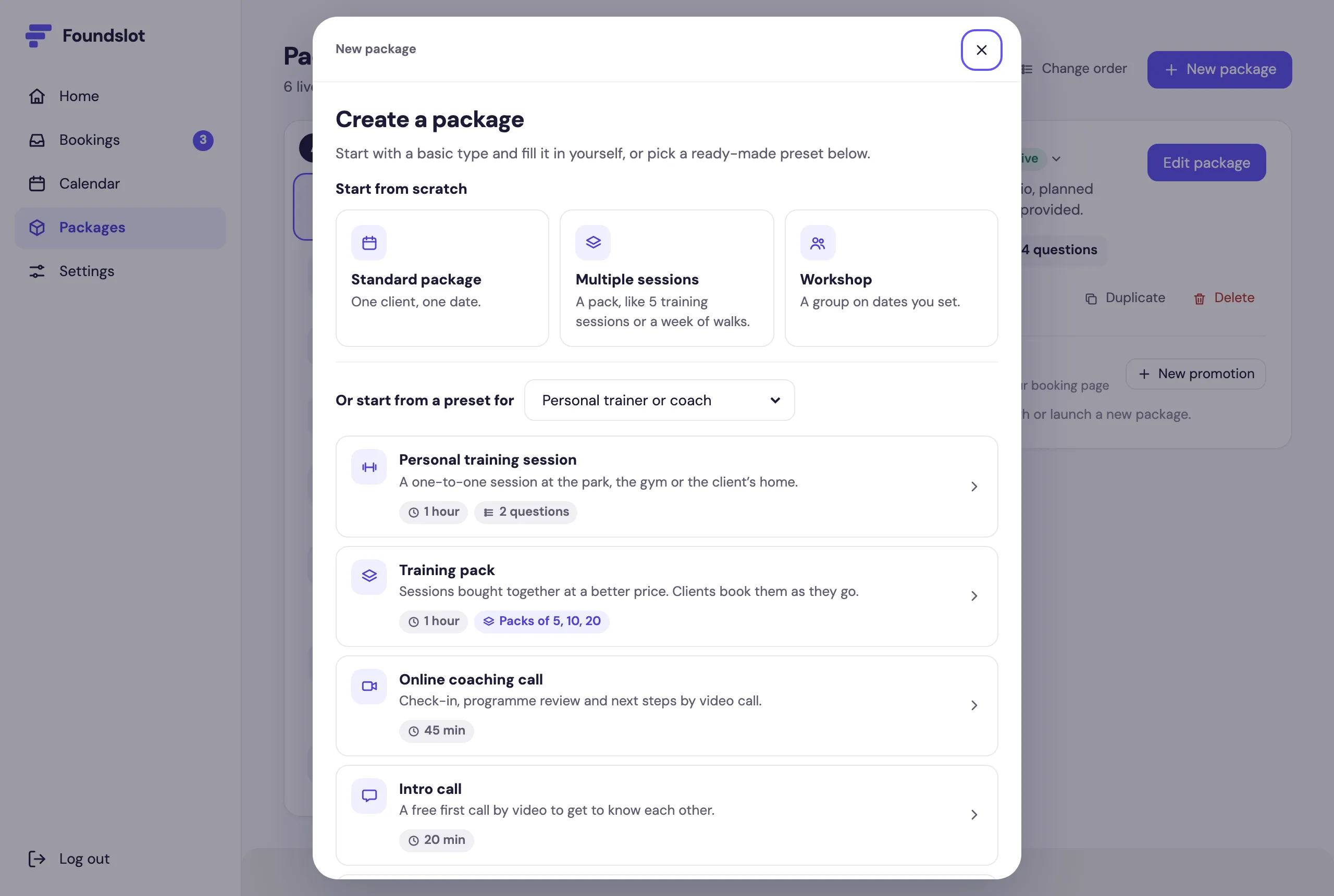
Go to Packages and click New package. Choose Standard package, or start from a preset for your profession, which comes with sensible defaults and questions already filled in.
Step 2: Add the basics
In Basics, add a Title, a Description (up to 400 characters: what’s included and what clients get) and an Icon.
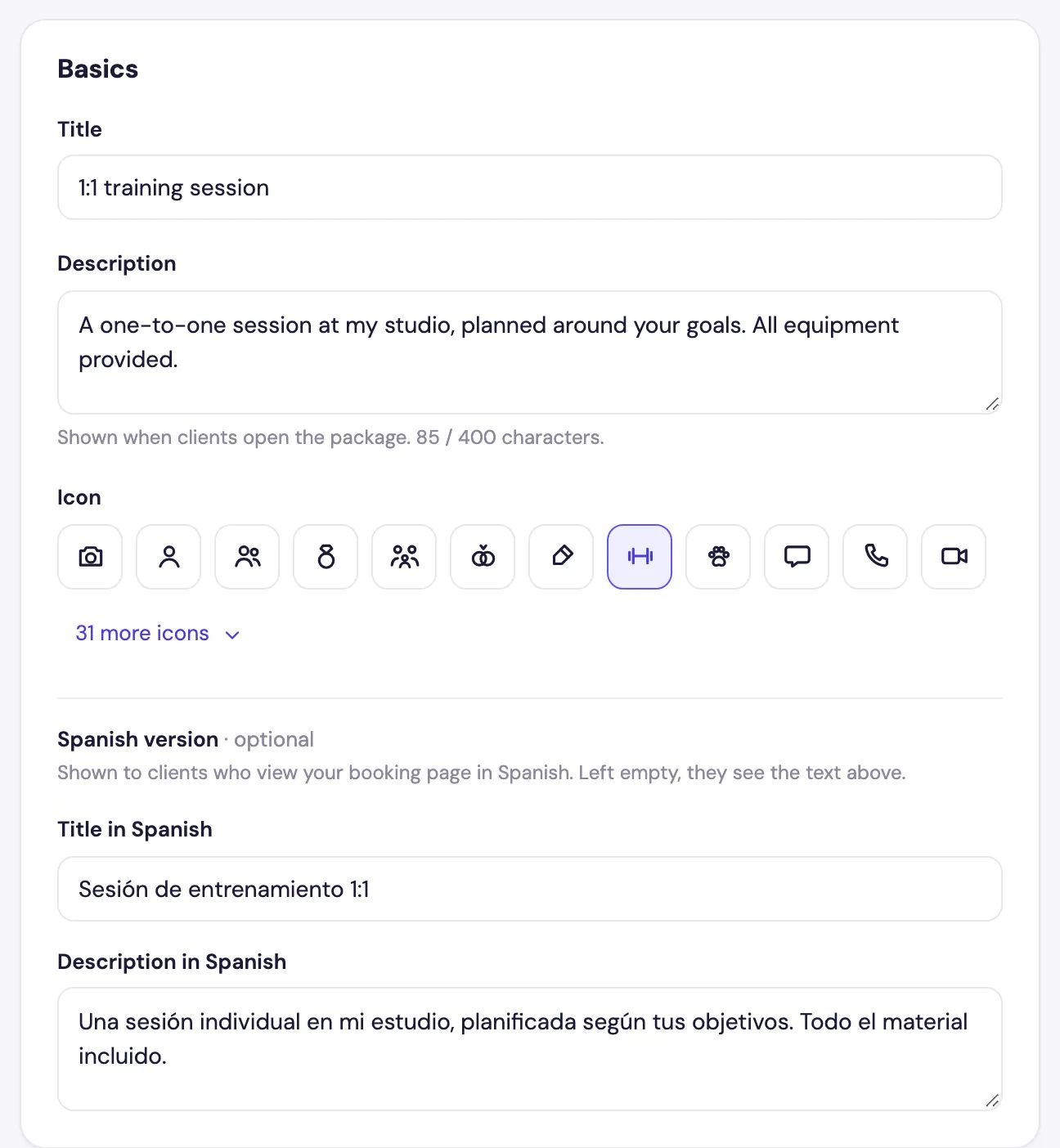
Packages started from a preset also have a Spanish version. Clients who view your booking page in Spanish see that title and description instead.
Step 3: Set the price and payment
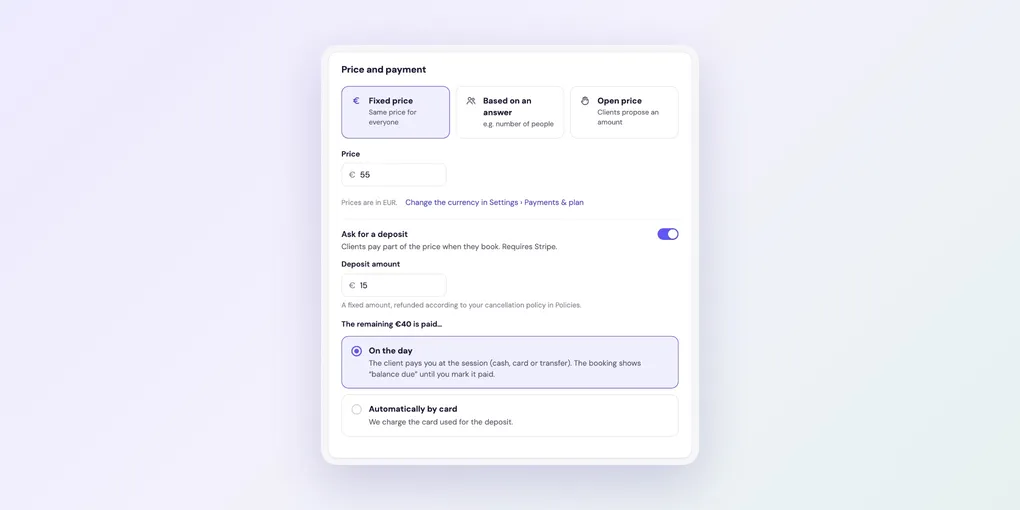
Under Price and payment, keep Fixed price and enter the Price. (For prices that depend on the number of people, see pricing by number of people. For quotes, see Open price.)
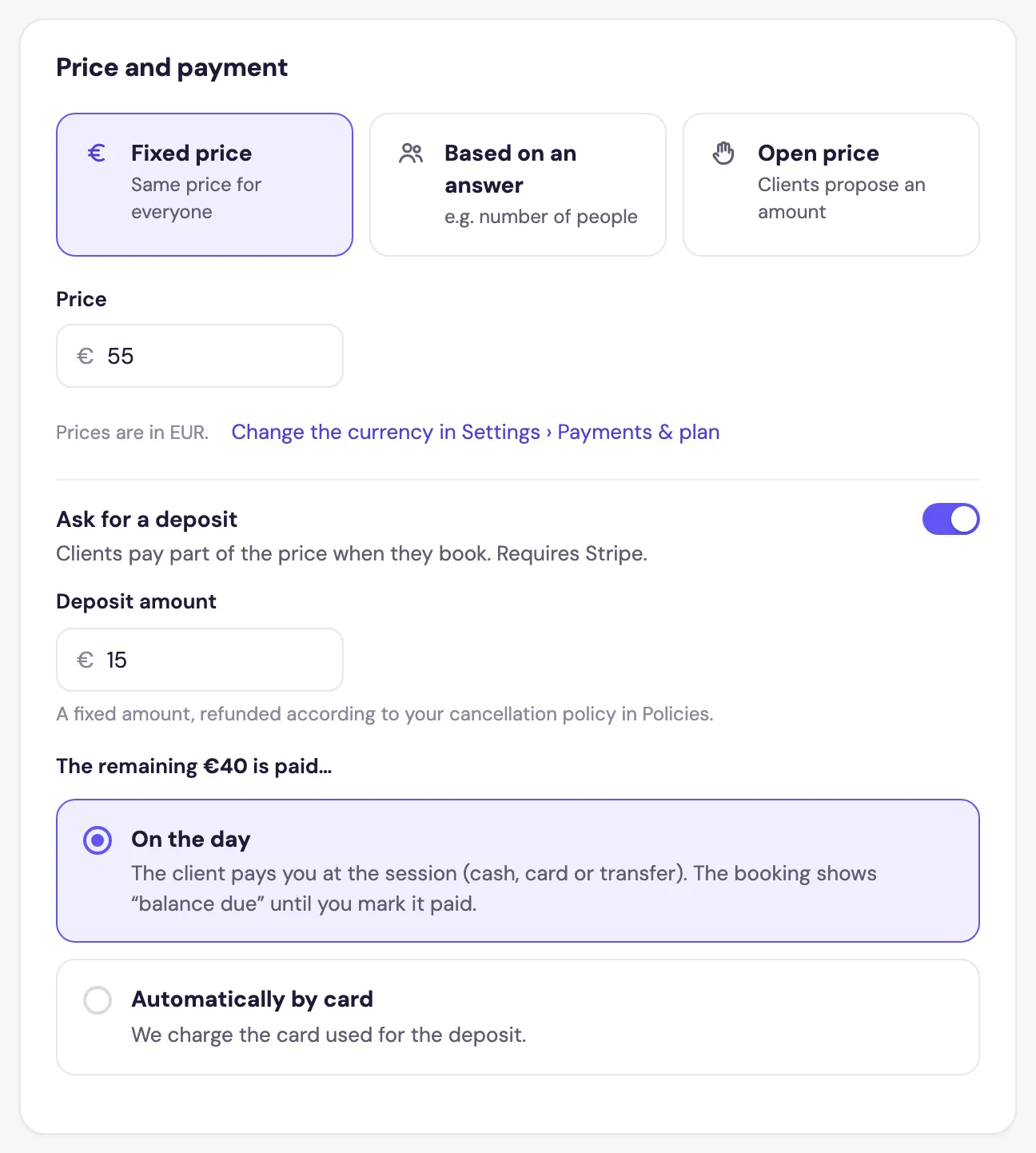
If you’ve connected Stripe, you can turn on Ask for a deposit: a fixed amount clients pay when they book, refunded according to your cancellation policy. Then choose how the rest is paid:
- On the day: the client pays you at the session. The booking shows “balance due” until you mark it as paid.
- Automatically by card: Foundslot charges the card used for the deposit when the rest is due.
Step 4: Set the duration and confirmation
In Time, set how long the session lasts. You don’t need to add time for travel or tidying up: Foundslot adds that automatically, based on your buffers.
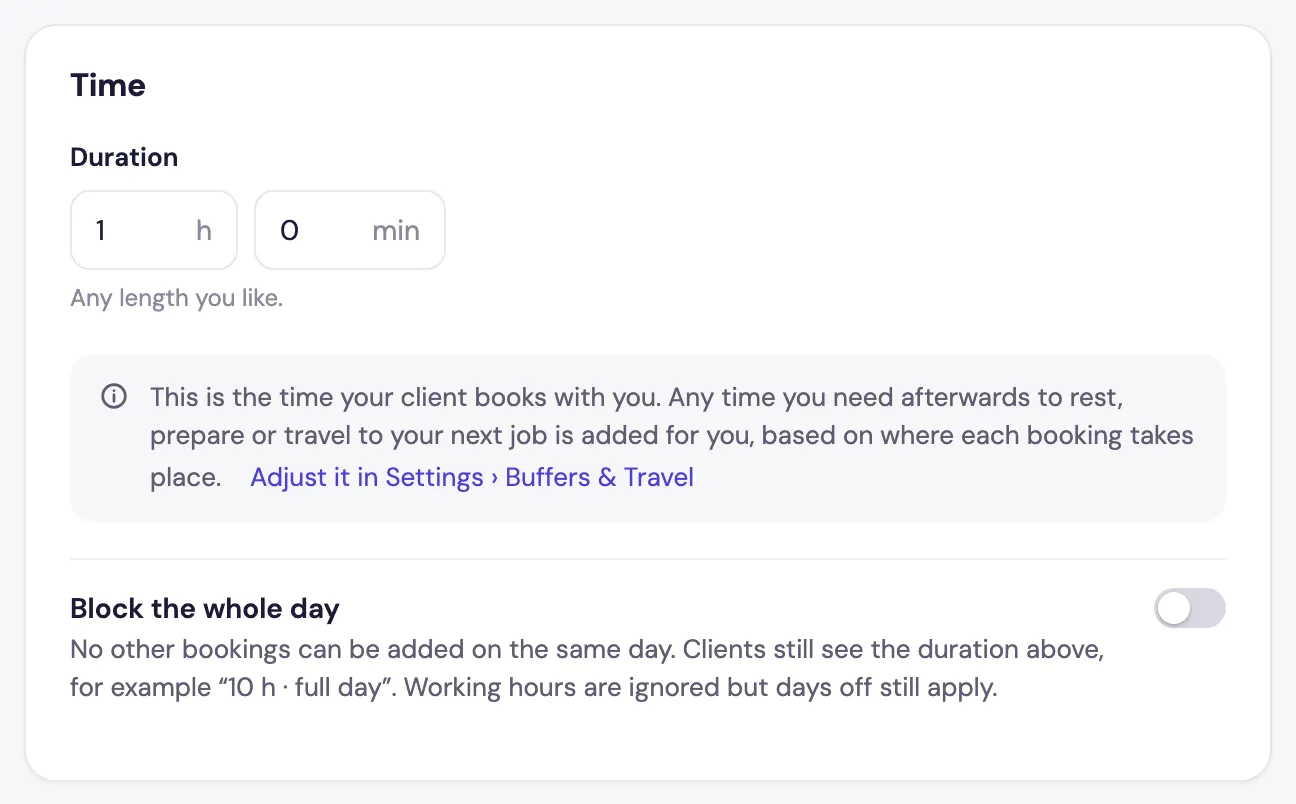
Turn on Block the whole day for jobs like weddings: no other bookings can be added that day.
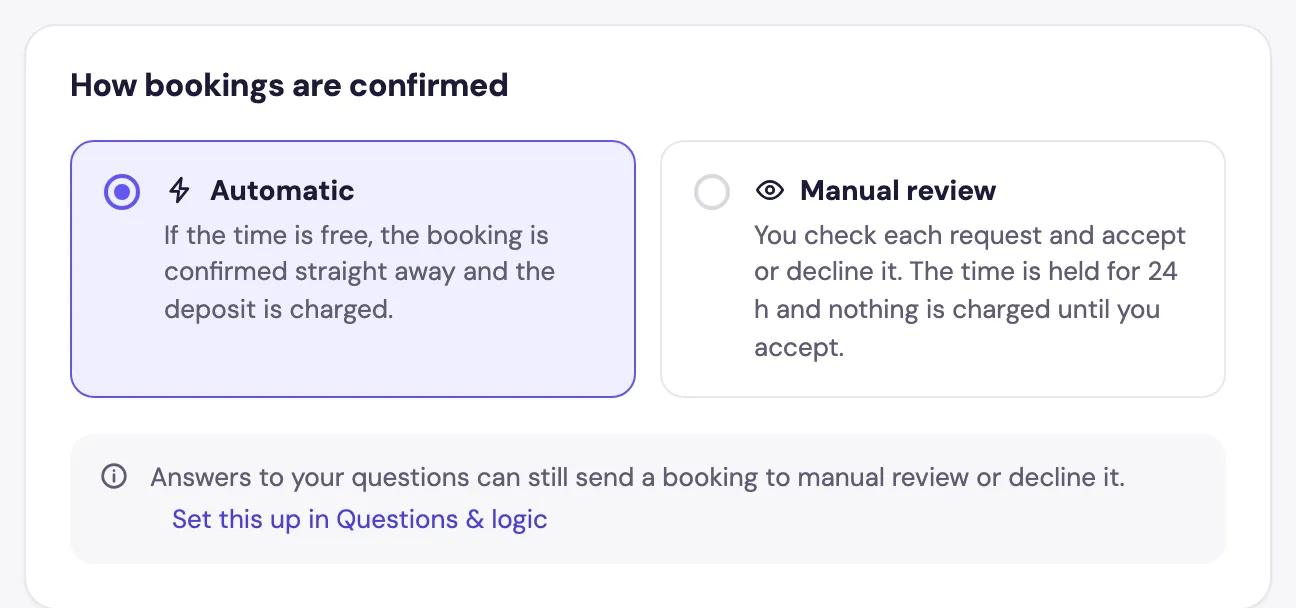
Under How bookings are confirmed, choose Automatic (confirmed straight away if the time is free) or Manual review (you accept or decline each request first). See instant booking or manual approval for help choosing.
Leave Sessions on One session.
Step 5: Fill in the other tabs (optional)
Each has its own guide:
- Location: where the session happens, including travel fees.
- Questions & logic: what you ask clients before they book.
- Policies: cancelling and rescheduling, plus how late and how far ahead clients can book.
- Advanced: a suggested time, hours for this package only, a daily limit and Public or Private.
Step 6: Publish
When the Ready to publish checklist shows Ready, click Publish. The package appears on your booking page and gets its own direct link.
What your clients see
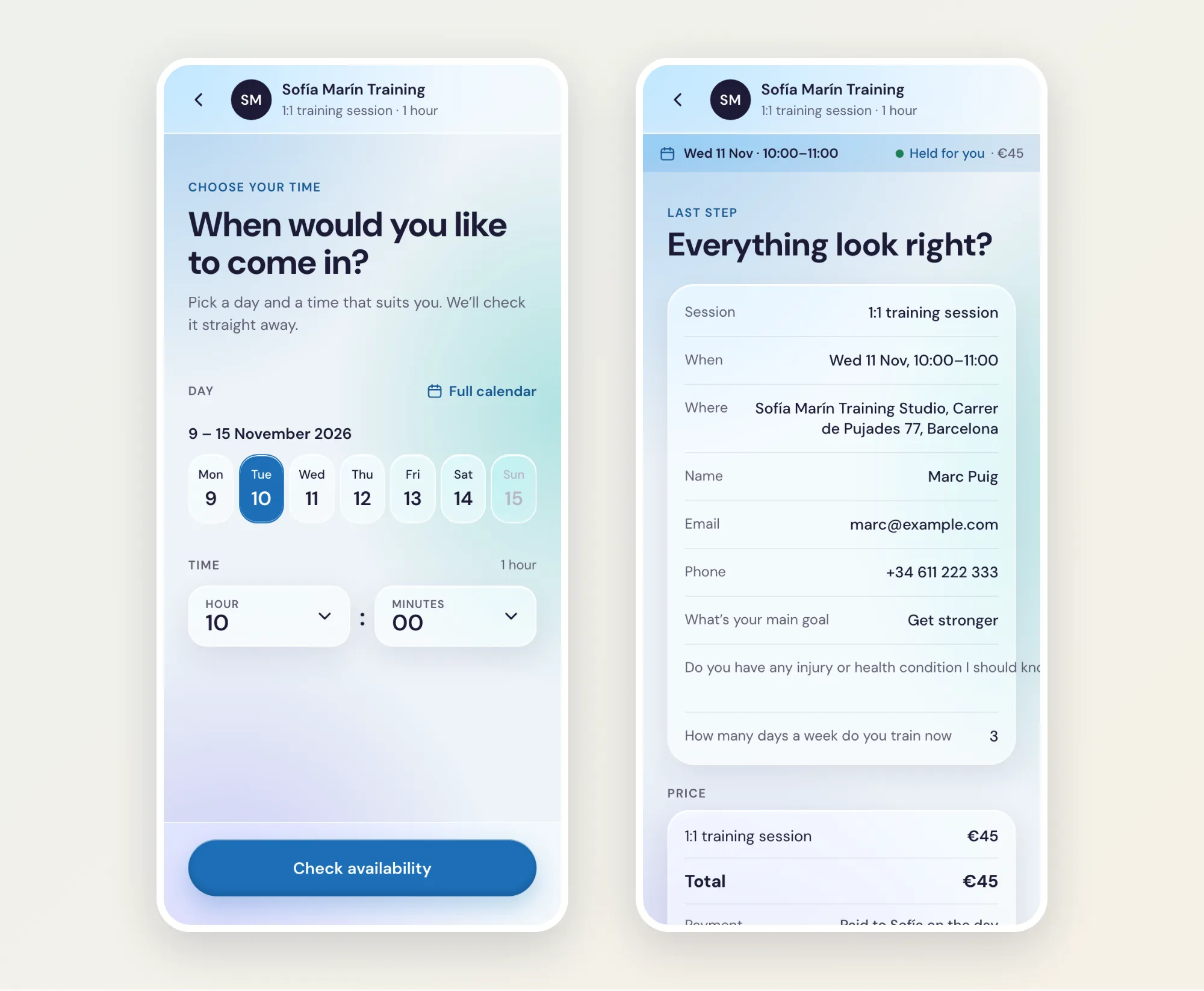
Clients pick a day and time, and Foundslot checks it straight away and holds it for 10 minutes while they answer your questions. Before confirming, they review everything, including the price and your cancellation policy.