
How to Add a Book Now Button to Your Website
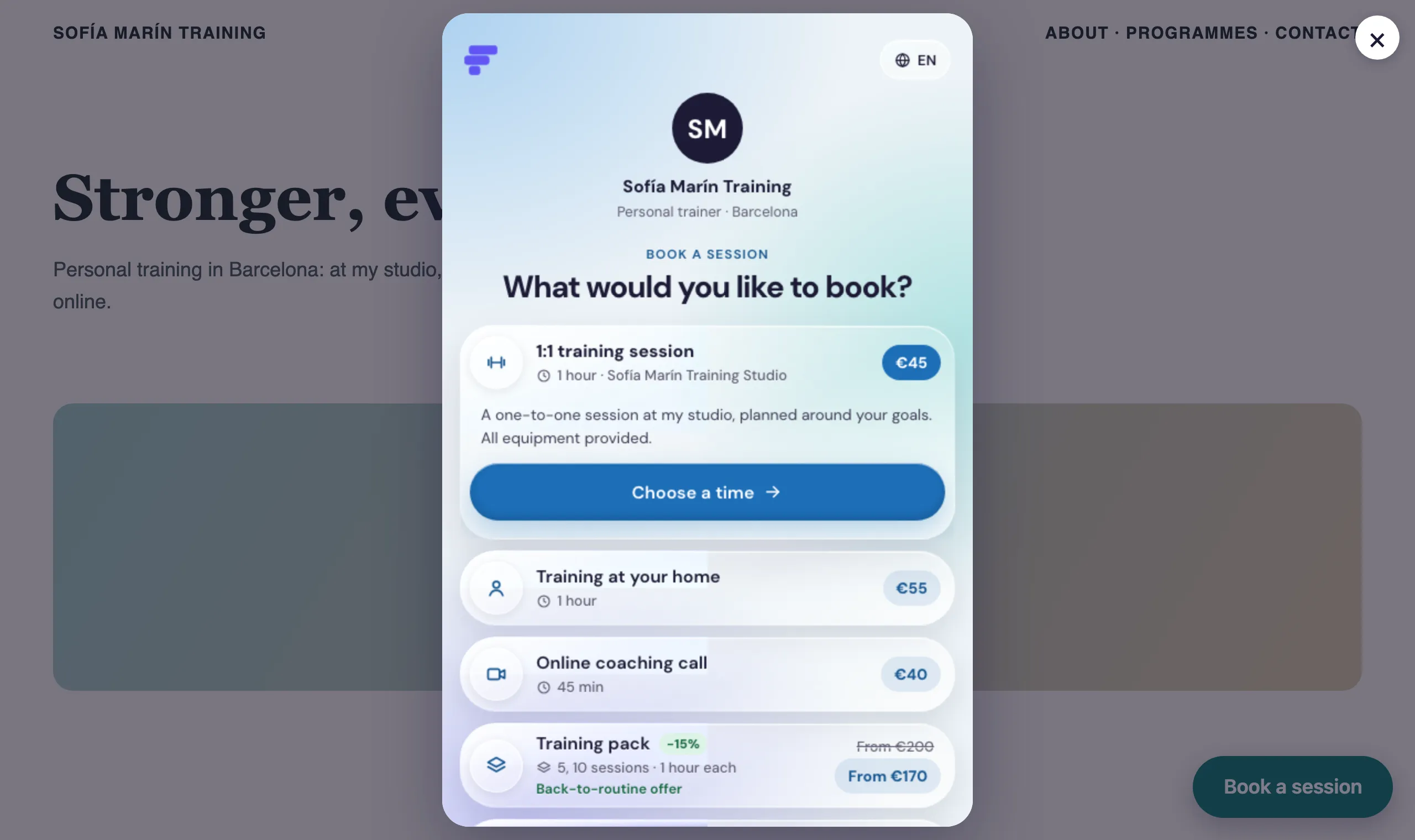
Add a Book now button to your website and clients can book without leaving it: your booking page opens on top of your site.
Step 1: Design the button
Go to Settings › Integrations and find Your website.
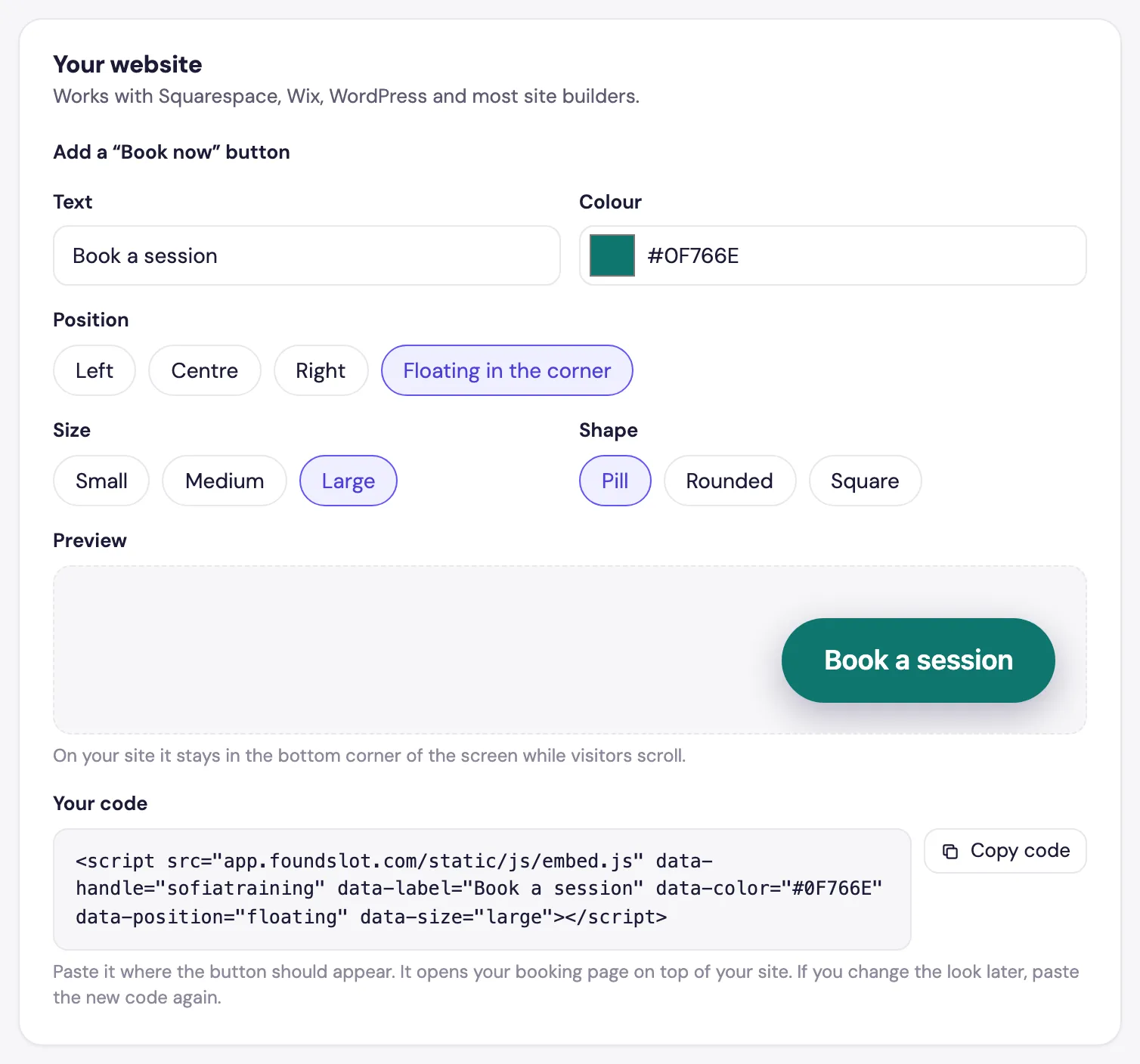
- Text: what the button says, for example Book a session.
- Colour: pick one that matches your site.
- Position: Left, Centre or Right puts the button where you paste the code. Floating in the corner keeps it in the bottom corner of every page as visitors scroll.
- Size and Shape: small to large, and pill, rounded or square.
The Preview shows the result as you go.
Step 2: Copy the code
Under Your code, click Copy code.
Step 3: Paste it into your website
Paste the code where you want the button. Most builders have a block for it:
- Squarespace: a Code block.
- Wix: Embed code › Embed HTML.
- WordPress: a Custom HTML block.
For a floating button, paste it once somewhere that appears on every page, such as the footer or your site’s header code settings.
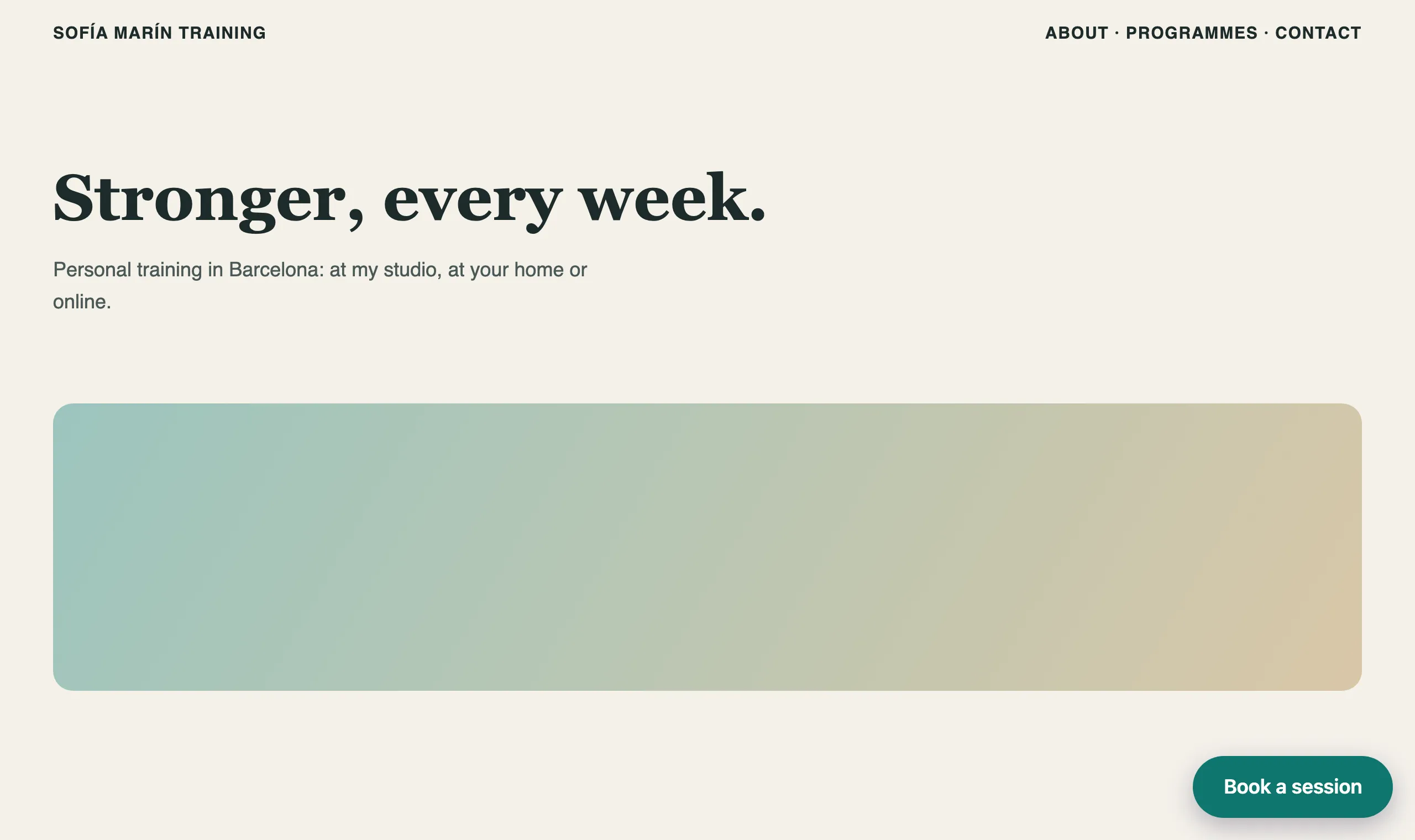
When a visitor clicks it, your booking page opens on top of the site:
Changing the look later? Nothing is stored in Foundslot: the design is part of the code. Copy the new code and replace the old one on your site.
Frequently asked questions
Any builder that lets you add HTML or an embed code, including Squarespace, Wix, WordPress and Webflow.
The look is part of the code you paste. After changing it in Foundslot, copy the code again and replace the old one on your site.