How to Price a Package by Number of People
Some services cost more for bigger groups: partner training, a family photo shoot, a makeup booking for a bridal party. Foundslot can ask clients how many people are coming before they book, and set the price and length to match.
Step 1: Choose “Based on an answer”
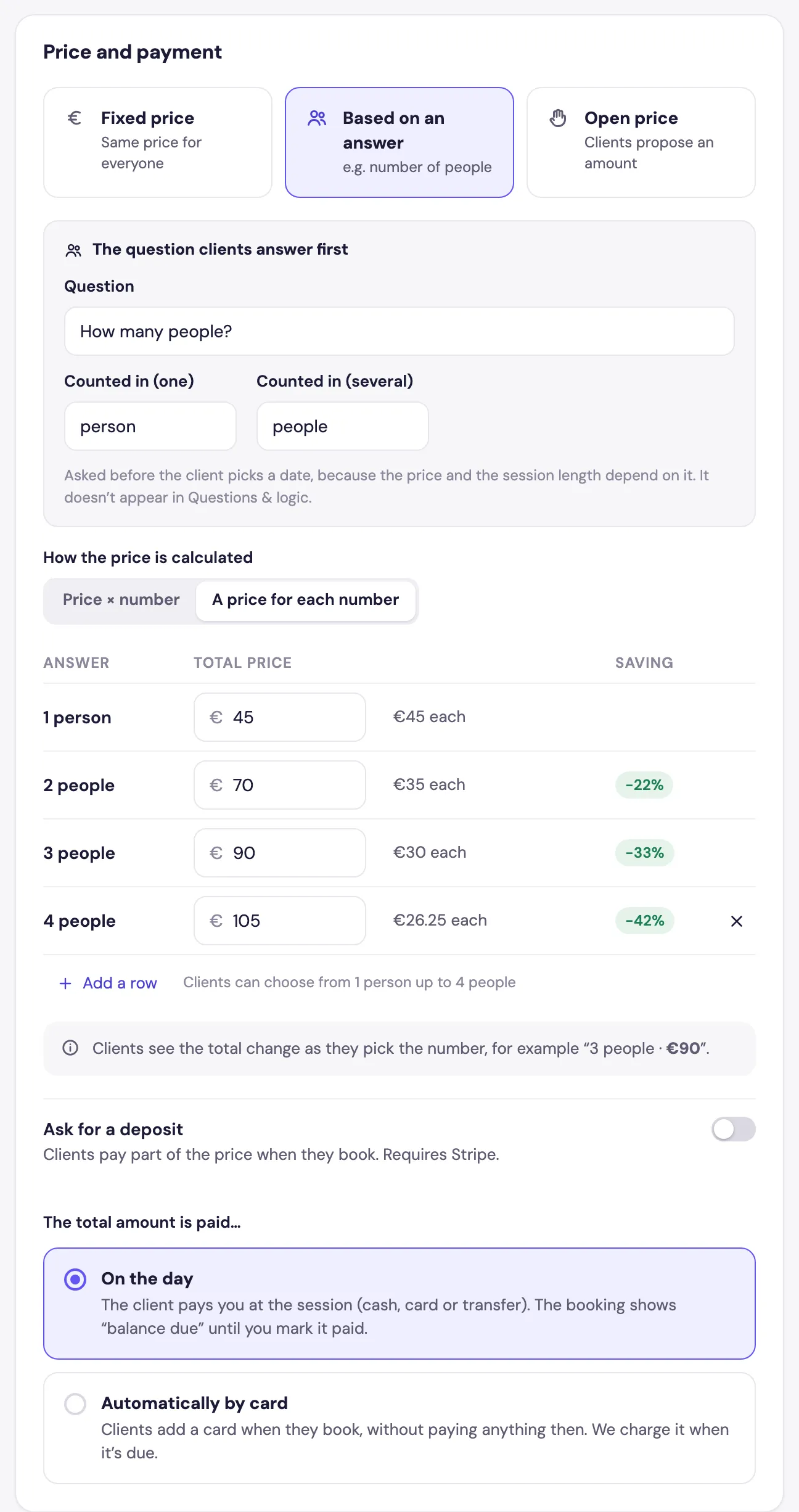
In the package editor’s Details tab, under Price and payment, choose Based on an answer.
Step 2: Set the question
The question clients answer first is asked before they pick a date. Write the Question (for example How many people?) and the words to count with: Counted in (one) and Counted in (several), such as person and people.
Step 3: Set how the price is calculated
- Price × number: one price per person, multiplied by the number of people.
- A price for each number: a total for each group size, such as €45 for 1, €70 for 2 and €90 for 3. Foundslot shows the price each and the saving. Add a row adds a bigger group, and the last row sets the maximum.
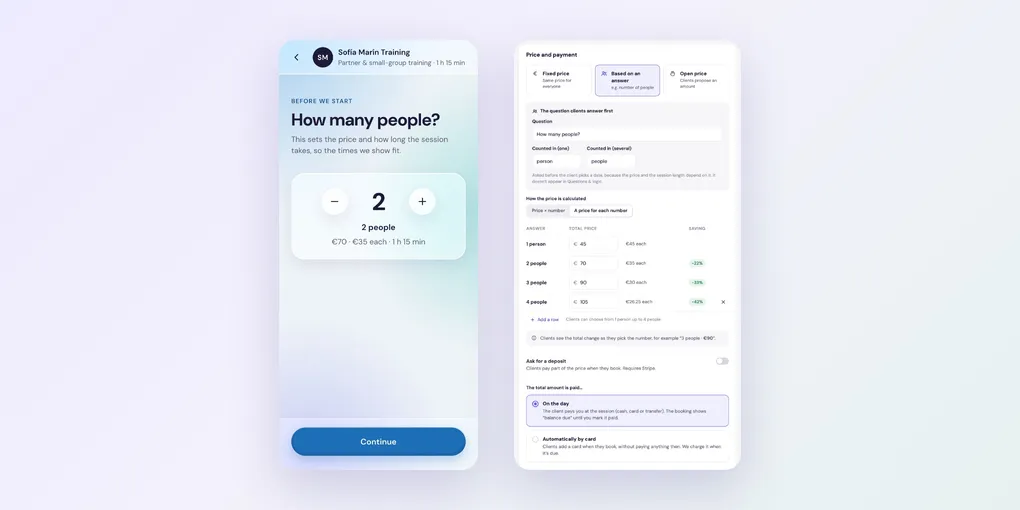
Clients see the total change as they choose the number.
Step 4: Add time per extra person (optional)
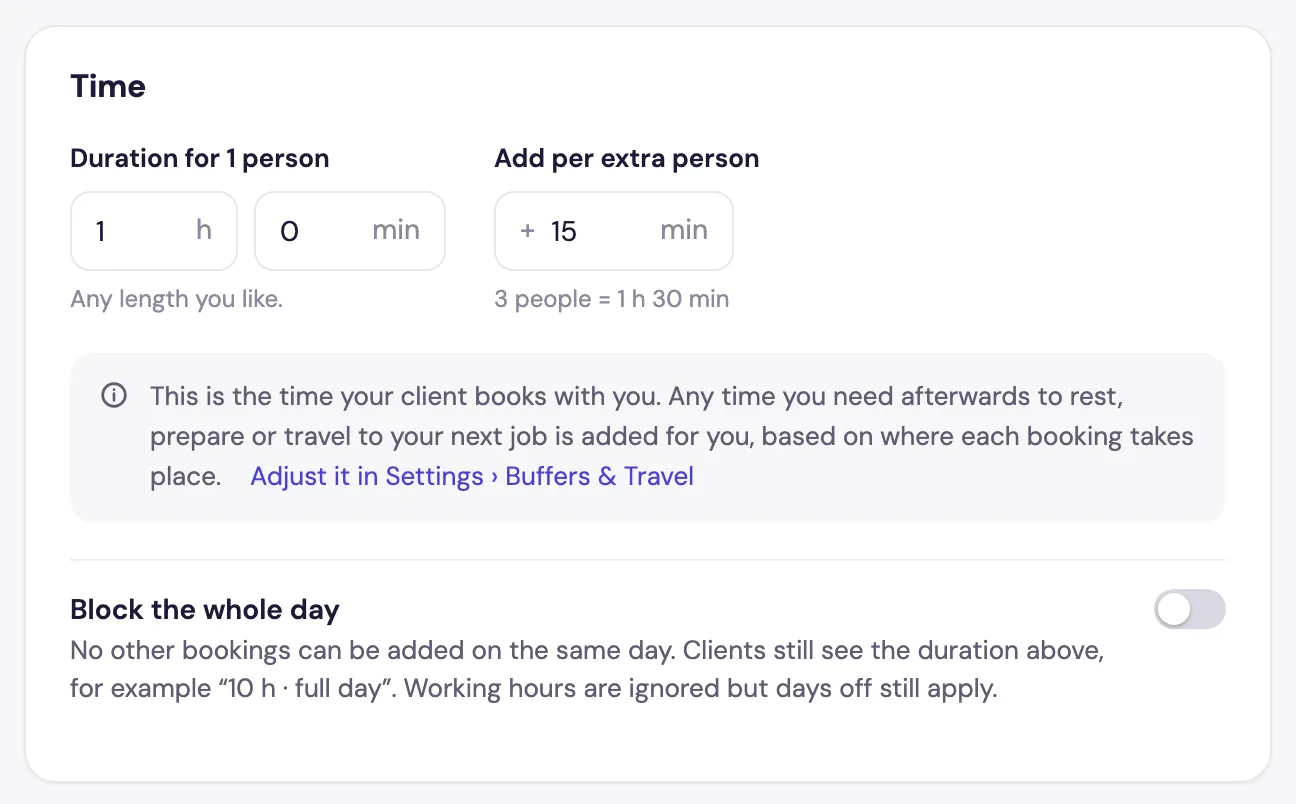
In Time, set the Duration for 1 person and, if bigger groups take longer, Add per extra person. Foundslot shows an example, such as 3 people = 1 h 30 min, and books the right length.
What your clients see
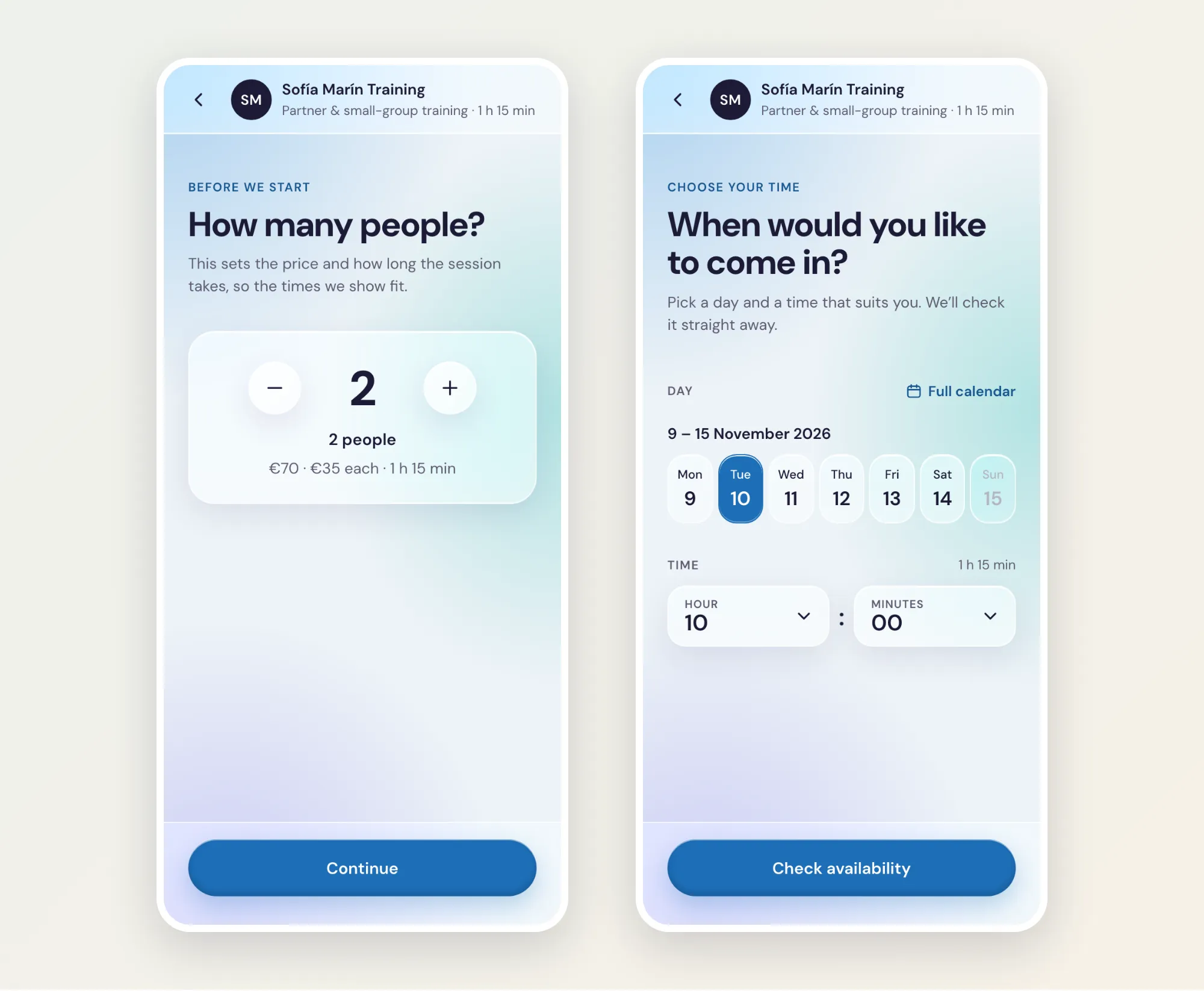
Clients choose the number of people first, then see times that fit the session’s length: